


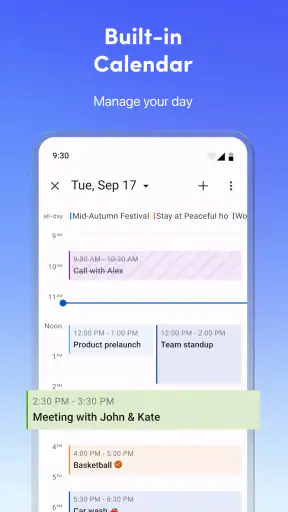

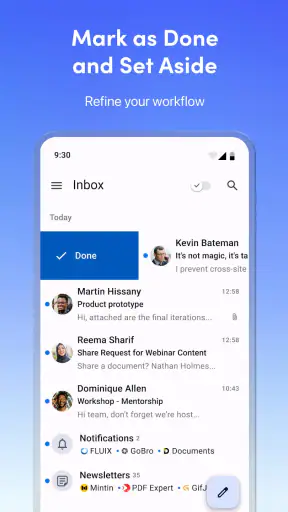
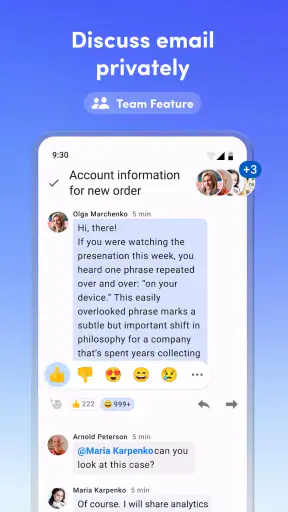
I spent time with Spark Mail: AI Email, Calendar as a daily productivity app, mainly to see whether it could make a crowded inbox feel less demanding. My first impression is that it is aimed at people who move between several email services rather than users who live inside one provider’s standard app. Its appeal comes from bringing Gmail, AOL, Yahoo, and Hotmail messages into one place, while also putting calendar work beside email.
That combination sounds simple, but it changes how the app fits into a routine. Instead of checking several separate inboxes, I can approach email as one work queue. The AI angle also gives the app a more modern feel, although I would not treat any automated assistance as a substitute for reading important messages carefully. In my experience, the strongest reason to try it is organization, not novelty.
How Spark Mail feels during everyday use
The app belongs to the productivity category and is developed by Spark Mail App. It is free to install, with optional in-app purchases ranging from $4.99 to $199.99 per item. That makes it easy to test without committing immediately, but anyone considering it for long-term use should pay attention to which tools are available without payment and which may be part of the paid experience.
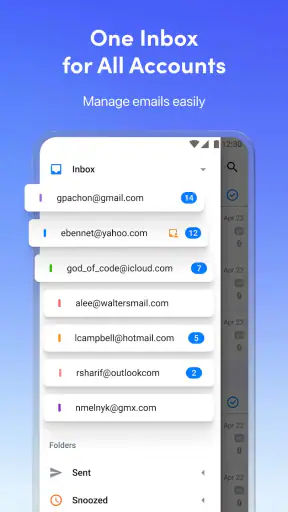
The basic workflow is straightforward: connect the accounts I actually use, then work from a unified inbox instead of jumping between provider-specific apps. This is particularly useful when personal mail sits in one service, older correspondence remains in another, and a work-related address uses a third. The benefit is not just fewer icons on the home screen. It is the ability to apply the same reading and triage habit across different accounts.
The practical advantage is reducing context switching, not merely collecting messages in one screen. When I am checking mail quickly, a single inbox helps me decide what needs attention first. When I am handling a longer session, the calendar connection makes it easier to keep scheduling in the same general workspace rather than treating appointments and messages as unrelated tasks.
Speed expectations and the first few minutes
Perceived speed matters more in an email app than flashy animation. I want the inbox to feel ready when I open it, and I want moving from a message to the next task to require very little thought. Spark’s unified approach can make the overall routine feel faster because I am not repeatedly opening different apps, even when the actual mail still depends on account synchronization and network conditions.
That distinction is important. A single inbox does not magically make slow provider responses fast. If one connected account is delayed, the experience can feel uneven even when the rest of the interface is responsive. I would judge Spark by the time it saves across a whole morning, rather than by expecting every account to refresh at exactly the same moment.
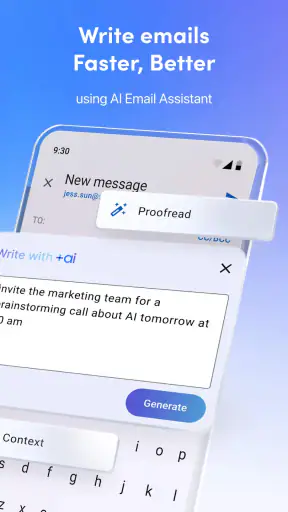
The app’s AI positioning is also best understood as a convenience layer. It may help reduce the effort involved in handling routine correspondence, but I would still review wording, recipients, attachments, and dates myself. For sensitive work, a quick human check is not optional. The more useful question is whether the assistance shortens repetitive work without encouraging careless sending.
What happens when the inbox gets busy
Heavy-use moments are where a multi-account mail app proves its value or exposes its weaknesses. A busy morning can involve reading newsletters, answering a client, checking a confirmation, and arranging a meeting. Spark is well suited to that mixed workload because email and calendar activity belong to the same productivity context.
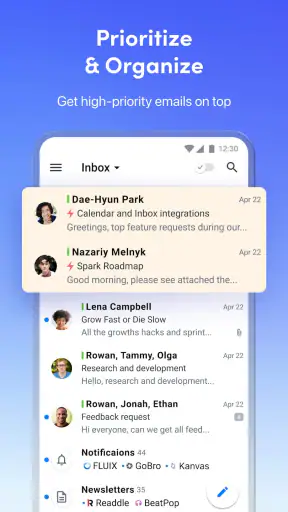
I found the unified view more valuable when I had several small tasks rather than one long conversation. It encouraged me to process messages in one pass: identify what can wait, answer what is simple, and make a note of anything that affects the day’s schedule. This is a subtle strength that a normal provider app often lacks when the rest of my accounts are elsewhere.
There is a trade-off, though. Combining accounts can make the inbox feel more important than it really is. A promotional message, a personal note, and a work request may appear in the same stream, so the user has to maintain clear habits around account identity and urgency. I recommend checking which account is selected before replying, especially when two addresses have similar names or signatures.
Another useful workflow is to treat the unified inbox as a review surface, not necessarily as the permanent home for every message. I can scan everything together, then focus on one account when a conversation requires deeper attention. That approach avoids the common problem of trying to manage every kind of correspondence with one identical rule.
Stability, recovery, and trust
Reliability in email is about more than whether the app opens. I need confidence that a draft remains available, that a sent message is associated with the correct account, and that calendar details are not overlooked while I am processing mail. Spark’s value depends heavily on this sense of control because it brings several services into one interface.
My advice is to use a gradual setup. Connect the accounts you check most often first, confirm that the inbox behaves as expected, and only then add less important addresses. This makes it easier to identify whether a confusing message comes from the app’s organization or from a particular provider’s synchronization. It also prevents a new installation from becoming an overwhelming wall of unread mail.
Recovery is another reason to avoid treating the app as a place where every decision happens automatically. For important correspondence, I would keep the original account context in mind and verify the message after sending. If something appears missing or out of order, refreshing the relevant account and checking the provider’s own mailbox is a sensible recovery step. That is not a criticism unique to Spark; it is a reasonable safeguard whenever multiple services share one front end.
The app’s rating sits at 4.1 from around 89 thousand ratings, with roughly 3.5 thousand written reviews. That suggests a substantial audience with generally positive but not universal experiences. I read that as a reason to approach it confidently but realistically: it is established enough to deserve a proper trial, yet not so universally loved that every workflow will feel effortless.
Resource demands and device limitations
Device constraints matter because email is often checked in short bursts, on mobile data, or while several other apps are open. Spark supports devices running Android 10 or later, so owners of older phones should check compatibility before planning a switch. On supported hardware, I would expect the experience to depend more on the number of connected accounts, the amount of synchronization, and network quality than on the visual complexity of the app alone.
A sensible way to keep the experience manageable is to avoid connecting every historical address immediately. Start with the accounts that benefit most from a combined inbox. If an old account is rarely used, leaving it outside the first setup can make the app easier to understand and reduce unnecessary clutter.
Battery and storage expectations should also be practical. An email client that keeps several accounts available may have more background work to coordinate than a single-account app, but the exact effect will vary by device and account activity. I would not choose Spark solely because of a promise of lighter resource use. I would choose it because the time saved by one workflow is worth the resources it uses on my phone.
The age rating is Everyone, which fits the app’s general purpose. That does not mean every message handled through it is harmless or suitable for every situation; email content still depends on the accounts and contacts involved. Families, students, and professionals can all use the app, but each group should apply its own judgment to account access and message privacy.
Who benefits most from the unified inbox
Spark is a strong match for people with multiple mainstream email accounts who are tired of repeating the same routine in separate apps. It also suits users who think of scheduling as part of inbox management. If a meeting request arrives while I am clearing messages, having calendar work close at hand feels more natural than copying details into a separate workflow.
It is especially useful for freelancers and small teams who separate personal, client, and project addresses but still need one place to review the day. A student managing school mail, a personal address, and event confirmations may also appreciate the same arrangement. In both cases, the benefit comes from seeing the whole day’s communication without losing the ability to work with individual accounts.
On the other hand, I would skip it if I use only one email provider and already like that provider’s app. The extra layer may not justify the setup. I would also be cautious if I need a highly specialized enterprise mail environment, unusually strict administrative controls, or a workflow built around one provider’s unique tools. In those situations, the official provider app may remain the safer and more complete choice.
Compared with the usual alternatives
Compared with Gmail’s app, Spark is more appealing when my email life extends beyond Google. Gmail is a natural choice for someone whose messages, contacts, and habits are already centered on Google. Spark becomes more interesting when AOL, Yahoo, Hotmail, and Gmail all matter and I want one consistent place to review them.
Compared with Outlook, Spark’s identity feels less tied to a single office ecosystem. Outlook can be the better choice for users who depend heavily on Microsoft services and want that environment to remain central. Spark’s advantage is the broader mixed-account perspective, particularly for people who do not want to make one provider the center of every email decision.
Compared with using several official apps, Spark wins on convenience but adds another layer between me and each service. That layer can simplify daily work, yet it also means I need to understand how account selection, synchronization, and calendar handling appear inside one interface. Users who prefer maximum directness may feel more comfortable staying with the original apps.
Small habits that make the app more useful
My first tip is to organize by decision, not by account. When reviewing the combined inbox, separate messages mentally into “reply now,” “schedule or remember,” and “read later.” This prevents the unified view from becoming just a larger unread counter and makes the calendar connection genuinely useful.
Second, keep an eye on the sending identity. A combined inbox is convenient precisely because it hides some of the separation between accounts. Before sending a sensitive reply, I would confirm the address, signature, and conversation context. This takes only a moment and avoids one of the most realistic mistakes in a multi-account setup.
Third, use the app as a controlled front door. Add important accounts first, establish a routine, and then decide whether secondary addresses deserve inclusion. That approach gives the AI and calendar elements room to help instead of letting a large backlog dominate the first experience.
Finally, do not let automation replace judgment. AI can be useful for routine productivity, but messages involving money, contracts, personal information, or precise appointments deserve a careful reread. Spark can reduce friction; it cannot take responsibility for what I send.
Version, reach, and overall value
The current version is 3.18.6, and the app has passed one million installs. Its release history reaches back to Apr 1, 2019, so this is not a brand-new experiment. That maturity matters to me because a mail app becomes more valuable when it can fit into a long-term routine rather than serving as a short-lived inbox novelty.
The free entry point is a real advantage for testing the central workflow. I can find out whether the combined inbox suits my habits before considering any optional purchase. The wide range of possible in-app purchase amounts also means I would inspect the available plans carefully instead of assuming that every advertised capability belongs to the free experience.
After using it as a productivity tool rather than simply browsing its feature list, my verdict is positive with clear limits. Spark Mail: AI Email, Calendar is best when I have several supported email accounts, want a single review process, and see scheduling as part of communication. It feels less compelling for a single-account user who already has a smooth provider app.
My final recommendation is to try Spark as an inbox simplifier, not as an unquestioned replacement for every official mail tool. Start with the accounts that create the most context switching, test the calendar workflow, and pay attention to how comfortable you feel checking the sending identity and synchronization status. If that routine saves time without making you feel less in control, this free productivity app earns a place on your device.


